
AI Tools for YouTube Automation (Beginner Guide 2026)
With the right workflow, AI can help you generate video ideas, write scripts, create voiceovers, turn text into video, and design thumbnails faster than ever. For beginners, this lowers the barrier to entry and makes YouTube automation much more realistic.

What Is YouTube Automation?
YouTube automation is a way of creating content without filming yourself for every video. Instead of building a traditional personal brand, you create videos using repeatable systems. These systems can include research, script writing, voiceovers, editing, visuals, and thumbnails.
The word “automation” does not mean the process is fully automatic. It simply means that you use tools to reduce manual work and speed up production. That is why AI tools for YouTube automation have become so popular: they help creators publish more often without sacrificing too much time.
Why Use AI Tools for YouTube Automation?
The biggest advantage of using AI is efficiency. Instead of spending hours on brainstorming, writing, editing, and design, you can streamline each step of the process. This is especially useful if you want to build a faceless channel or test multiple content ideas.
- Generate ideas faster
- Create scripts more consistently
- Produce voiceovers without recording your own voice
- Speed up video production
- Create thumbnails and visuals more easily
For beginners, AI tools for YouTube automation can turn an overwhelming process into a manageable workflow.
Best AI Tools for YouTube Automation
1. Script Writing Tools
Script writing tools help you brainstorm topics, structure video ideas, and turn rough concepts into usable video scripts. They are especially useful for storytelling channels, educational videos, list-style videos, and explainer content.
Best for: video ideas, outlines, hooks, and narration structure
2. AI Voice Generators
Voice generation tools allow you to create narration without using your own voice. This is one of the most important parts of faceless YouTube content, because it saves time and makes publishing much easier.
Best for: narration, explainers, faceless videos, educational content
3. Video Creation Tools
Video creation platforms can turn text into scenes, visuals, subtitles, and transitions. They are useful if you want to create simple videos without learning complex editing software at the beginning.
Best for: repurposed content, faceless videos, short educational videos
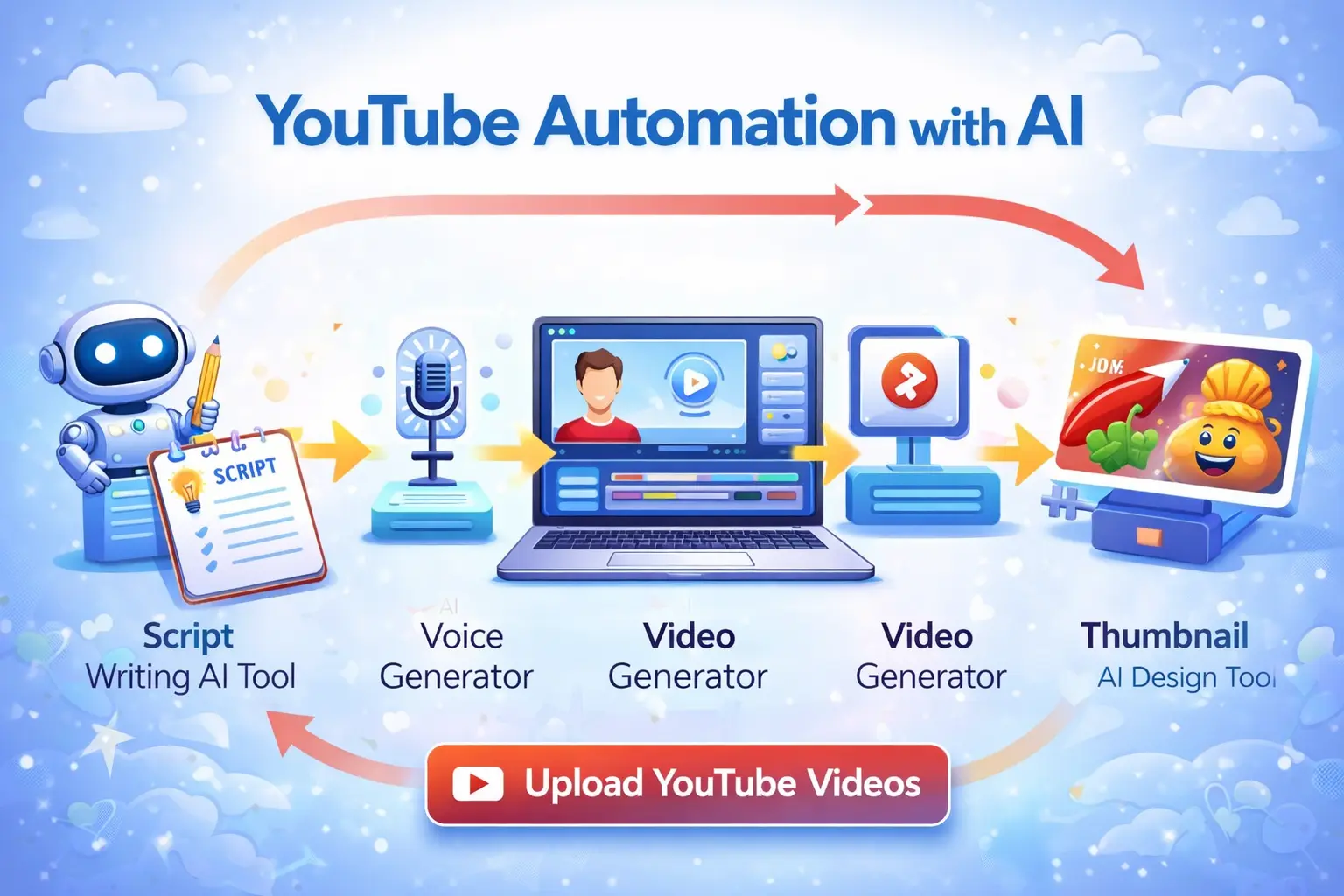
4. Thumbnail and Design Tools
A good thumbnail can decide whether someone clicks your video or ignores it. Design tools help you create cleaner thumbnails, visual templates, and branding assets without needing advanced design skills.
Best for: thumbnails, visual consistency, click-through rate improvement
How to Start a Simple YouTube Automation Workflow
The easiest way to begin is not by building a complicated system. Start with a simple workflow that you can repeat every week.
- Choose one niche, such as finance, motivation, AI, tech, or productivity
- Use AI to brainstorm 10 video ideas
- Create a short script or outline for one video
- Generate a voiceover or record one yourself
- Build the video with visuals, text, and transitions
- Create a thumbnail and upload
If you keep this workflow simple, you are more likely to stay consistent. That matters more than trying to automate everything from day one.
If your broader goal is online income, read: How to Make $100/Day Using AI
You can also explore: 10 Best AI Tools to Make Money Online in 2026
Common Mistakes to Avoid
Many beginners start strong but make simple mistakes that slow their growth. One common mistake is choosing a niche that is too broad. Another is relying too much on automation without improving quality.
- Uploading inconsistently
- Using weak thumbnails
- Publishing low-quality scripts
- Ignoring audience retention
- Trying to automate everything too early
A better approach is to start simple, publish consistently, and improve one part of the process at a time.
External resource: YouTube
Final Thoughts
AI tools for YouTube automation make it easier than ever to create faceless content, save time, and build a consistent publishing system. You do not need to master everything at once. Start with one niche, one workflow, and one improvement at a time.
The creators who usually win are not the ones with the most complex setup. They are the ones who publish consistently, learn from each upload, and improve over time.
Start Your YouTube Automation Journey
Create your first video workflow, publish consistently, and improve with every upload.